
How to Run a 30-Day Tech Pilot Your Crews Won't Sabotage
A simple 30-day pilot plan for chiefs: name the problem, let crews test the tool, track the results, and decide from your own data.
By vitalvoice Team
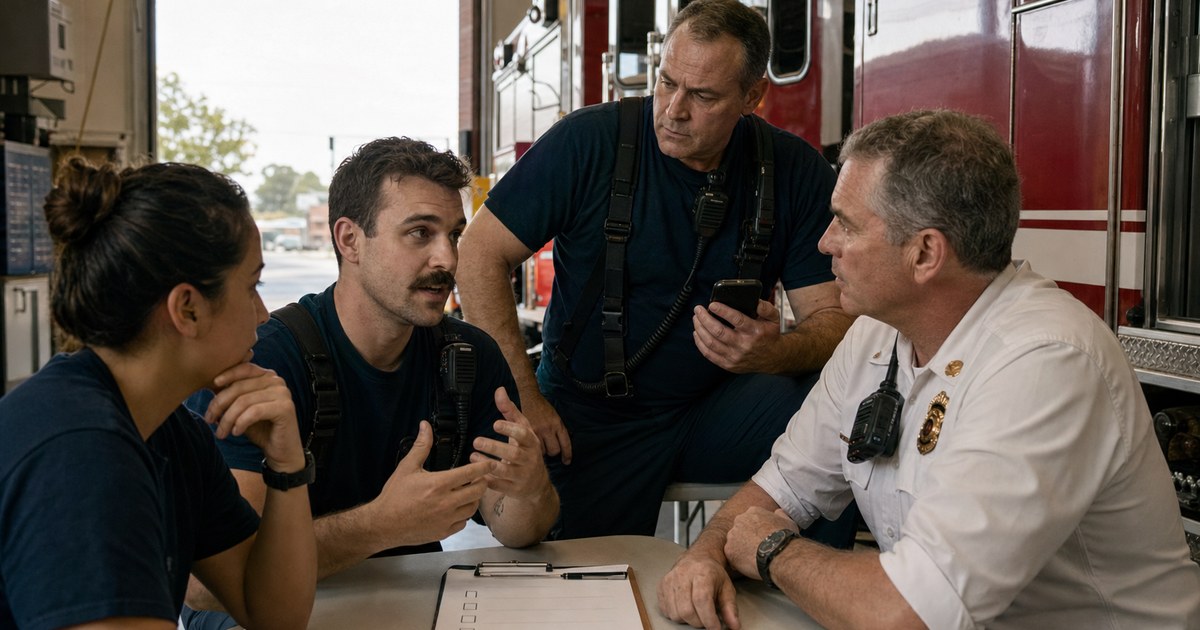
You have a vendor demo on the calendar. You may already fear how this ends. You like the demo and buy the tool. Crews use it for two weeks. Then it fades away. Eighteen months later, you are still paying for software no one opens.
That is not a crew problem. That is a pilot problem. Here is how to run one that actually tells you something.
Why pilots die in the fire service
The same three reasons come up again and again.
It came from above. A tool picked by the chief starts with a strike against it. Firefighters are not against technology. They are against tools forced on them without their input.
It needed too much training. If the rollout starts with an hour of required video, the tool has already shown you a problem. Deputy Chief Eric Linnenburger of Westminster Fire set the bar: make it “intuitive enough that it’s firefighter proof, you’re going to find some success.” His crew used our app to translate Arabic on a live call. They had not watched the training videos first.
Nobody had room for it. Your crews already use many screens and tools. A new one must earn its place at 3 a.m., in the rain, with a patient getting worse. If a crew cannot figure it out in that moment, it will not last.
1. Start with a gap, not a demo
Before you look at a product, write the problem in one sentence. Do not write, “We should modernize.” Be clear: charts are getting finished at home after shift. Or: our crews are using a patient’s child as an interpreter. Or: our refusal charts may not hold up in court.
Fairfield Fire Department knew its exact gap. Fire crews arrive before the ambulance. But only the ambulance crew had access to the phone interpreter line. Firefighters had to stand beside patients they could not understand and wait. Once the gap was clear, the department could judge each tool against it.
If you cannot name the gap, you are not ready to pilot. You are shopping.
2. Get the right people in the room early
Keep the group small. Bring the right people:
- The person who raised the problem. This is often a battalion chief or training officer. They care about fixing it and can lead the pilot.
- One line battalion chief who will be honest with you about whether crews are actually using it.
- IT and security. Bring them in before the pilot starts. They will ask how the tool gets installed, how it handles data, and how it follows HIPAA. Answer those questions before you commit. IT may also find that crews already put patient details into free tools that the department did not approve.
- Training. They can make sure the tool is easy to learn without building a long class.
You do not need a committee. You need four people who can say yes.
3. Set success criteria before day one
Many teams skip this step. Then the pilot ends with a debate about feelings instead of facts.
Before day one, write down what success means. Pick facts that will also make sense to your finance director. Four groups cover most pilots:
- Use. How many times did a crew open it on a real call? Counts beat guesses.
- Crew feedback. Ask as you go. Save names and exact quotes.
- Time saved. Minutes per call, or per chart. If you are evaluating documentation tools, our breakdown of per-minute interpretation costs shows how to translate saved minutes into a budget line your finance team recognizes.
- Quality. Compare ten new charts or calls with ten from before the pilot.
Set a target for each group. Do not change the targets after you see the results.
4. Run it in parallel — don’t rip anything out
Keep the language line, old workflow, and paper backup. A pilot should be a choice, not an order to give up every safety net.
This gives you a clean test. When crews can use either tool and pick the new one on a live call, that choice means something. Fairfield crews chose vitalvoice 61 times during a two-month pilot, about once a day. The old process was still there. They used vitalvoice for Spanish, Punjabi, Hindi, and Italian. No one told them to hit a goal.
5. Make adoption effortless
Each extra step gives crews one more reason to stop using the tool.
- Push it through MDM. MDM is the system your IT team uses to put apps on work devices. Crews should not need to search an app store or use personal accounts.
- Zero-friction login. If a firefighter has to remember a password on scene, they won’t open it.
- No mandatory training marathon. Offer a short optional walkthrough and then get out of the way.
If crews cannot find the main steps on their own, the pilot taught you something. Write it down. The vendor should have to answer for it.
6. Collect as you go, not at the end
Do not wait 30 days to ask how things are going. That leaves you with only the loudest voice in the final meeting.
Check use each week. Open a group text where crews can share problems right away. Take those problems seriously. Ride along on calls, too. Our founder has joined Fairfield crews on several ride-alongs. Offline mode and automatic language detection came from what crews said on a rig, not in a survey.
If you are piloting anything with AI in it, this is also the window to get a written policy in place. Our guide to writing a fire department AI policy covers what to include before the tool goes department-wide.
7. Decide on your own data
At day 30 you are in one of two positions.
You may have strong use numbers and quotes from your own crews. That makes the case to finance or the city much easier. Fairfield finished its pilot in May with that kind of proof and signed an agreement.
Or you may see low use and weak feedback. That is not a failed pilot. It is a fast answer that may save you from a long contract.
How a vitalvoice pilot works
There is no new hardware or large IT project. The app goes on the phones crews already carry. Most departments start within a week. Then your crews test it on real calls, and we join them for ride-alongs. You can also test ambient scribe in the same pilot if you want to review both interpretation and charting.
Quick answers
How long should a fire department technology pilot run? Thirty days is usually right. That is long enough for every shift to test the tool on real calls, and short enough to keep the pilot focused.
What should we measure during an EMS software pilot? Pick your numbers before day one. Usage counts, time saved per call, documentation quality, and direct crew feedback are the four that most chiefs and finance directors find convincing.
Should we shut off our old system during the pilot? No. Run the new tool in parallel and keep the old workflow available. If crews still choose the new tool when they have an easy out, that is real evidence.
Chiefs: Book a 15-minute demo. Tell us the gap you want to fix, and we will map a 30-day pilot around it.
Crews: Download vitalvoice from the App Store. You get two free sessions in each mode. Try it on a real call and decide for yourself.