
For crews
Review instead of rewrite
The first draft already follows the approved section order, headings, terminology, and level of detail.
Department-specific EMS narratives
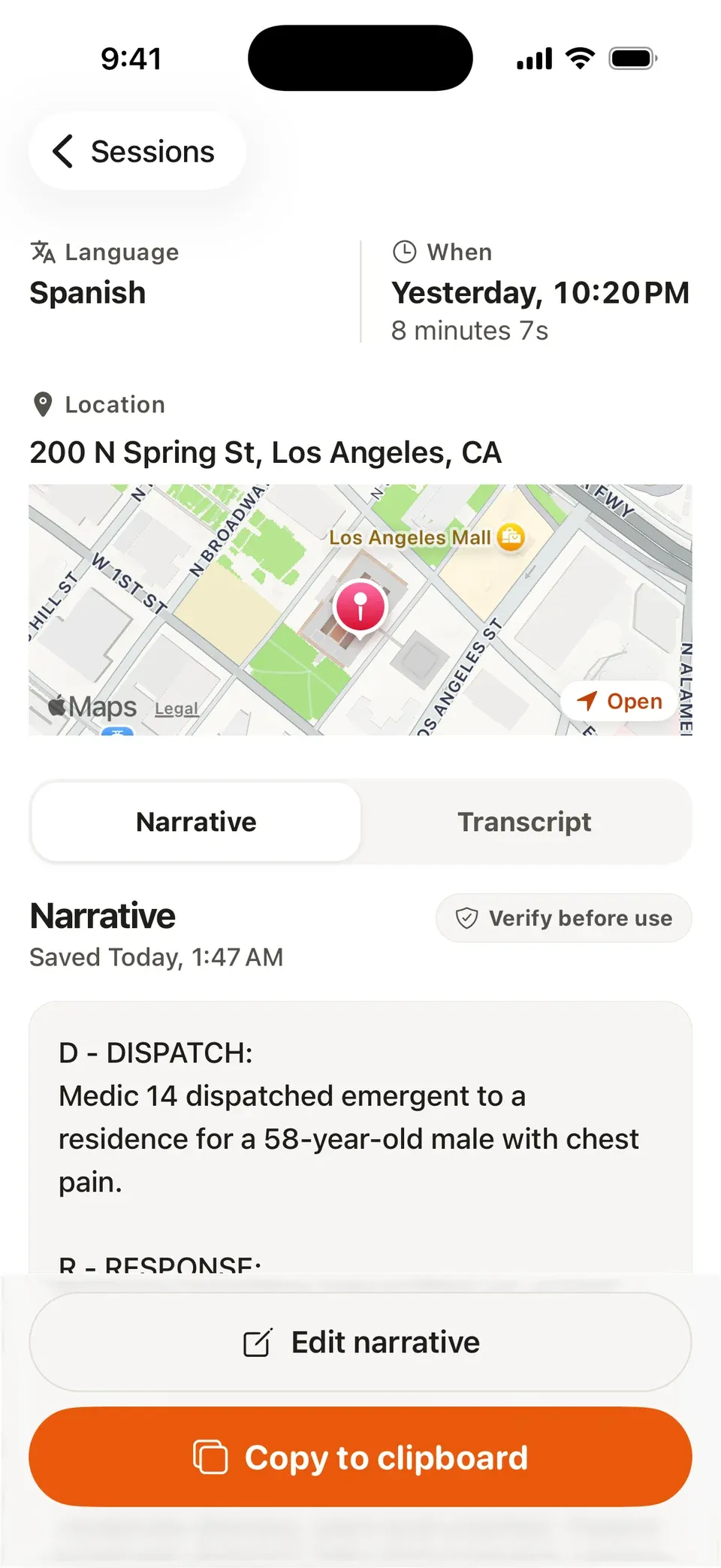
A generic AI note creates another writing job. vitalvoice.ai drafts each report in your sections, order, terminology, and call-type rules—so crews review the narrative instead of rebuilding it for QA.
No department template yet? Start with SOAP, CHART, DCHART, DRAATT, or another built-in format.
Why the fit matters
Crews should not have to translate a vendor's preferred format into the narrative your QA team expects.
For crews
The first draft already follows the approved section order, headings, terminology, and level of detail.
For QA
Configured rules put documented facts where reviewers expect to find them across crews, stations, and call types.
For leadership
Keep the narrative standard your department has already trained, approved, and built its review process around.
Illustrative refusal configuration
“Custom” is not a logo or a renamed SOAP template. It is the structure, language, and call-specific requirements that make a draft usable by your department.
Department requirements
Configured draft structure
Documented facts onlyDocumented observations relevant to capacity and orientation.
Only the risks the crew documented on scene.
The documented decision and stated reason, in the approved phrasing.
Witness and final disposition when those facts were captured.
This example demonstrates configuration detail; it is not a customer template. Your setup follows the policy or de-identified reports your department provides.
Each report type can follow its own sections, terminology, and rules.
How configuration works
We handle the configuration with your team, then refine it against real drafts during the pilot.
Bring the narrative policy, template, or de-identified example reports your QA team already uses.
We map its sections, order, language, required phrasing, and conditional rules into vitalvoice.ai.
Crews review real drafts, your team gives feedback, and the medic keeps final approval of every narrative.
Questions departments ask
No. If your department already has a narrative standard, we configure vitalvoice.ai around it. SOAP, CHART, DCHART, DRAATT, and other built-in formats are starting points for departments that do not already have one.
Yes. Patient encounters, refusals, CPR calls, fire reports, inspections, and other report types can each have their own sections, order, terminology, and requirements.
No. The template organizes facts captured or dictated by the crew; it does not create missing facts. Every draft is reviewed and approved by the medic before it reaches the ePCR.
In the vitalvoice.ai iOS app, the medic reviews the narrative, makes any changes, and copies the approved draft into the ePCR. Software vendors can also embed vitalvoice.ai Platform directly inside an ePCR or EMR workflow.
In 15 minutes, we will show how its sections, language, and call-type rules map into vitalvoice.ai.
Bring Your Template to a Demo